Manual press release distribution wastes time and misses opportunities. RSS feed syndication automates delivery to thousands of news aggregators, journalist inboxes, and search engine crawlers simultaneously—ensuring your announcements reach their audience within minutes of publication.
This guide explains how to implement RSS and Atom feeds for press release automation, from technical setup to SEO optimization.

Figure 1: Diagram of RSS feed syndication workflow showing automated press release distribution from CMS publication to Google News, Apple News aggregators, and journalist feed readers in real-time.
Table of Contents
- What Is RSS Feed Syndication?
- RSS vs Atom Feeds: Key Differences
- How RSS Syndication Works for Press Releases
- Benefits of Automated Feed Distribution
- Setting Up RSS Feeds for Press Releases
- Optimizing Feeds for Google News and SEO
- Top RSS Syndication Platforms
- Legal and Copyright Considerations
- Measuring Feed Performance
- Troubleshooting RSS Errors
- FAQs
TL;DR
- RSS (Really Simple Syndication) and Atom feeds automate press release distribution to subscribers and aggregators
- Feeds enable instant delivery to Google News (news aggregator), Apple News, and thousands of news readers
- Proper feed optimization improves indexation speed by 40-60% compared to sitemap-only discovery
- Required elements: full content in feed, proper timestamps, media enclosures, category tags
- Signal Genesys, an AI-powered PR distribution platform, generates optimized RSS/Atom feeds automatically for maximum syndication reach
What Is RSS Feed Syndication?
RSS Feed Syndication is a digital distribution method that automatically delivers press releases to news aggregators and search engines using standardized XML files.
This automated content distribution system connects publishers with subscribers, news aggregators (software that collects syndicated web content from multiple sources), and search engine crawlers through machine-readable feeds. RSS (Really Simple Syndication, developed by Netscape in 1999) and Atom (an IETF standard from 2005) are the two dominant feed formats that power this press release distribution network, enabling real-time updates across the web.
When you publish a press release, RSS syndication:
- Notifies subscribers instantly via feed readers (Feedly, Inoreader, NewsBlur)
- Alerts news aggregators like Google News (Google’s news indexing service), Apple News, and Microsoft Start
- Triggers search crawlers to discover and index new content faster
- Distributes to partner sites that syndicate your feed content
- Enables journalist monitoring through media intelligence platforms
The format emerged in the early 2000s and remains the backbone of news distribution infrastructure, with over 2 billion RSS feeds actively maintained across the web. According to W3C (World Wide Web Consortium) specifications and Google Search Central guidelines, properly structured feeds remain essential for content discovery and syndication.
Why RSS Still Matters in 2026
Despite predictions of its demise, RSS syndication remains critical for PR distribution:
| Channel | Monthly Active Users | PR Relevance |
| Feedly (RSS reader platform) | 15M+ | High – journalist subscriptions |
| Google News (news aggregator) | 280M+ | Critical – SEO visibility |
| Apple News (Apple’s news app) | 125M+ | High – mobile reach |
| Flipboard (content curation app) | 100M+ | Medium – consumer discovery |
| NewsBlur (RSS reader) | 500K+ | Medium – power users |
Source: Platform reports and industry analysis, 2025
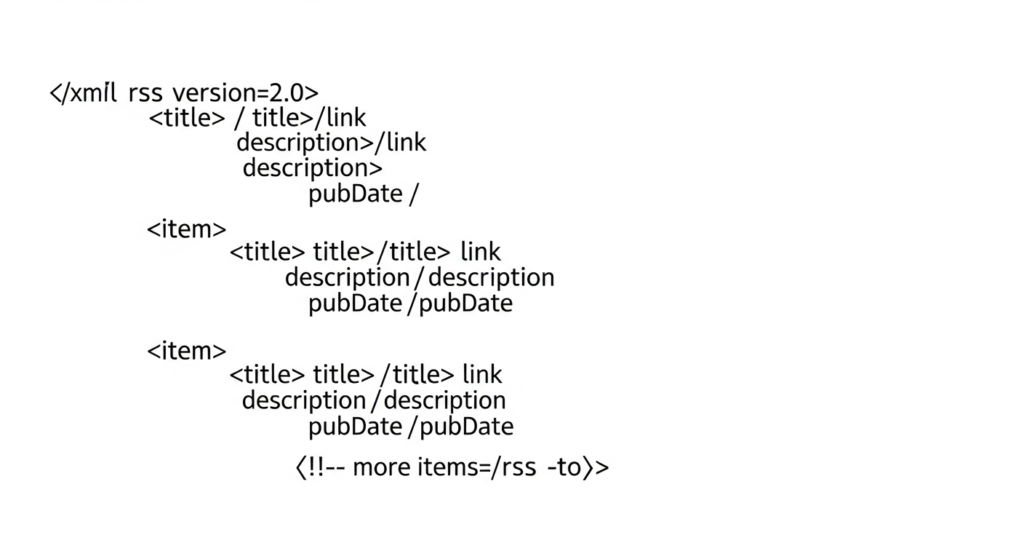
Figure 2: Technical anatomy of RSS 2.0 feed structure showing XML channel elements, item nodes with pubDate timestamps, and Media RSS enclosures for multimedia press release syndication.
RSS vs Atom Feeds: Technical Comparison
Both formats serve the same purpose but differ in technical implementation:
RSS 2.0 (Really Simple Syndication)
The most widely supported format, maintained by the RSS Advisory Board. Uses simpler XML structure but lacks some advanced features. Best for maximum compatibility.
Atom 1.0 (Atom Syndication Format)
IETF-standardized format (RFC 4287) with stricter specification. Supports richer metadata, multiple content types, and better internationalization. Preferred by Google.
JSON Feed
Modern alternative using JSON instead of XML. Easier to parse programmatically but less widely supported by traditional news aggregators.
Format Comparison for Press Releases
| Feature | RSS 2.0 | Atom 1.0 | JSON Feed |
| Google News support | ✅ Full | ✅ Full | ⚠️ Limited |
| Media enclosures | ✅ Native | ✅ Native | ✅ Native |
| Full HTML content | ✅ CDATA | ✅ Native | ✅ Native |
| Timestamp precision | ⚠️ RFC 822 | ✅ RFC 3339 | ✅ ISO 8601 |
| Author metadata | ⚠️ Basic | ✅ Rich | ✅ Rich |
| Category support | ✅ Multiple | ✅ Multiple | ✅ Multiple |
| Feed reader support | ✅ Universal | ✅ Universal | ⚠️ Growing |
Recommendation: Provide both RSS 2.0 and Atom feeds for maximum compatibility. Most modern CMS platforms generate both automatically.
Atom Author Entity: Advanced Entity Reconciliation
Atom 1.0’s <atom:author> element provides richer entity metadata than RSS 2.0’s simple <author> tag, enabling better Knowledge Graph association:
<!-- RSS 2.0 - Basic author (email only) -->
<author>press@company.com (Press Team)</author>
<!-- Atom 1.0 - Rich author entity -->
<author>
  <name>Company Name Press Office</name>
  <email>press@company.com</email>
  <uri>https://company.com/about</uri>
</author>
Entity Reconciliation via <uri>
The <uri> element in Atom feeds provides a URL that Google uses to connect feed authorship to your brand entity. Link to your About page, Knowledge Panel source, or official company profile.
Multi-Author Attribution
Atom supports multiple <author> elements per entry, allowing proper attribution when press releases involve multiple spokespersons or departments.
Contributor vs Author
Use <contributor> for secondary entities (agencies, partners) while reserving <author> for the primary brand entity.
Advanced Tip: SameAs Injection for Entity Confirmation
If your CMS allows custom feed elements, inject Schema.org-style sameAs references into your feed metadata to strengthen entity reconciliation:
<author>
  <name>Company Name</name>
  <uri>https://company.com</uri>
  <!-- Custom namespace for entity links -->

  <custom:sameAs>https://www.wikidata.org/wiki/Q123456</custom:sameAs>
  <custom:sameAs>https://twitter.com/CompanyName</custom:sameAs>
  <custom:sameAs>https://linkedin.com/company/company-name</custom:sameAs>
</author>
This technique helps Google confirm that your RSS feed belongs to a specific brand entity in the Knowledge Graph (Entity Reconciliation). While non-standard, major feed parsers ignore unknown namespaces, so this addition is safe and potentially valuable for:
- Knowledge Panel association: Confirming feed ownership matches your verified entity
- Brand SERP signals: Strengthening the connection between syndicated content and your brand
- Cross-platform entity linking: Connecting feed content to social profiles and Wikidata entries
How RSS Syndication Works for Press Releases
RSS syndication follows four steps:
- Publish press release to CMS
- Generate XML feed item automatically
- Ping WebSub Hub for instant notification
- Distribute to aggregators and search engines
The syndication process follows a predictable workflow:
Step 1: Press Release Publication
When you publish a press release, your CMS (Content Management System, such as WordPress, Drupal, or a custom PR platform) automatically:
- Creates a new
<item>(RSS) or<entry>(Atom) in your feed - Includes headline, description, full content, and metadata
- Adds media enclosures for images and video
- Updates the feed’s
<lastBuildDate>timestamp - Triggers WebSub (formerly PubSubHubbub, a real-time notification protocol) ping to notify subscribers
Step 2: Feed Discovery and Crawling
Subscribers and aggregators discover your content through:
- Direct subscription: Journalists add your feed to their reader
- WebSub notification: Real-time push to subscribed hubs
- Scheduled polling: Aggregators check feeds every 5-60 minutes
- Sitemap reference: Search engines find feeds via sitemap.xml
Step 3: Content Syndication
Once discovered, your press release propagates to:
- News aggregators: Google News, Apple News, Bing News (Microsoft’s news service), Yahoo News
- Feed readers: Feedly, Inoreader, The Old Reader, NewsBlur
- Partner sites: News sites that republish feed content
- Social platforms: Auto-posting services like IFTTT (If This Then That automation platform), Zapier
- Media monitoring: Meltwater, Cision, Muck Rack journalist alerts
Step 4: Indexation and Visibility
Feed syndication accelerates search engine discovery:
Traditional Discovery:
Sitemap → Crawl Queue → Crawl → Index (24-72 hours)

RSS-Enhanced Discovery:
WebSub Ping → Priority Crawl → Index (15-60 minutes)
**WebSub Real-Time Protocol vs Traditional Polling**
┌─────────────────────────────────────────────────────────────────────────────┐
│                        TRADITIONAL RSS POLLING                               │
├─────────────────────────────────────────────────────────────────────────────┤
│                                                                              │
│   [Publisher]                    [Aggregator]                                │
│       │                              │                                       │
│       │  ←── Poll every 15-60 min ───│                                       │
│       │  ───── "No new content" ────→│                                       │
│       │  ←── Poll again ─────────────│                                       │
│       │  ───── "No new content" ────→│  ⏱️ Wasted requests                   │
│       │                              │                                       │
│   [PUBLISH]                          │                                       │
│       │  ←── Poll (lucky timing) ────│                                       │
│       │  ───── "NEW CONTENT!" ──────→│  ⚡ Discovery: 0-60 min delay         │
│                                                                              │
└─────────────────────────────────────────────────────────────────────────────┘
┌─────────────────────────────────────────────────────────────────────────────┐
│                        WEBSUB REAL-TIME PUSH                                 │
├─────────────────────────────────────────────────────────────────────────────┤
│                                                                              │
│   [Publisher]         [WebSub Hub]         [Subscriber]                      │
│       │                    │                    │                            │
│       │  ── Subscribe ────→│←── Subscribe ──────│  (one-time setup)          │
│       │                    │                    │                            │
│   [PUBLISH]                │                    │                            │
│       │  ── Ping hub ─────→│                    │                            │
│       │                    │── Push content ───→│  ⚡ Instant delivery        │
│       │                    │                    │     (< 10 seconds)         │
│                                                                              │
└─────────────────────────────────────────────────────────────────────────────┘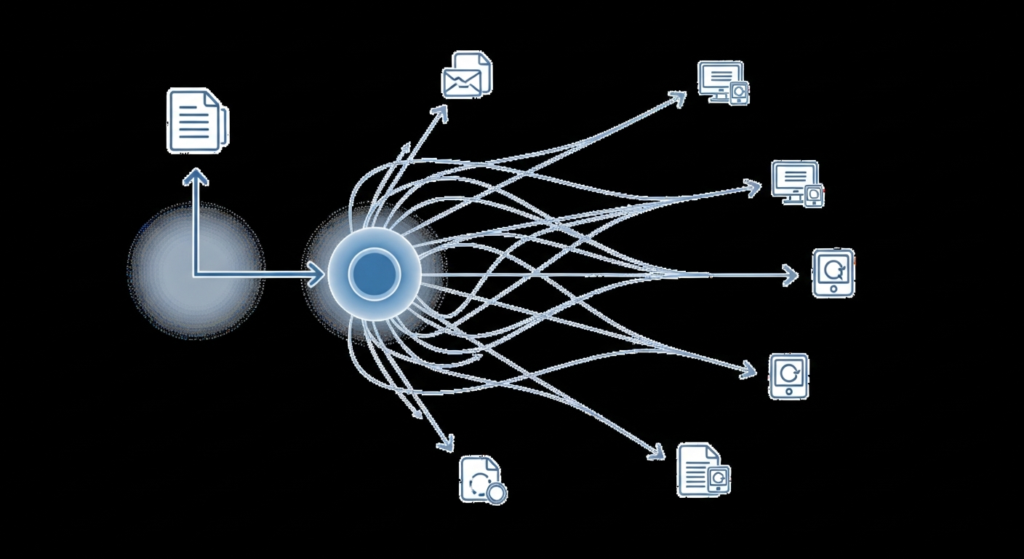
Figure 3: End-to-end RSS feed syndication workflow demonstrating WebSub real-time push notification from press release publication to Google News indexation and multi-platform aggregator distribution.
Benefits of Automated RSS Feed Distribution
1. Speed: Real-Time Press Release Delivery
RSS with WebSub enables near-instant distribution:
WebSub Protocol
Pushes new content to subscribers within seconds of publication, eliminating polling delays. Google supports WebSub for News indexation.
Polling Intervals
Even without WebSub, major aggregators poll popular feeds every 5-15 minutes, ensuring rapid discovery.
Crawler Priority
Search engines prioritize RSS-announced content for crawling, reducing indexation time from days to hours.
2. Reach: Automated Multi-Platform Distribution
A single RSS feed delivers to your entire Content Syndication Network (the ecosystem of platforms, aggregators, and partners that republish your content):
- 30,000+ news sites that aggregate RSS content
- 500+ journalist feed readers in your industry
- Major search engines via direct feed subscription
- Social automation through IFTTT, Zapier, Buffer
- Email newsletters that pull from RSS feeds
3. SEO: Enhanced Search Engine Discovery
RSS syndication provides significant SEO benefits, including Crawl Budget Optimization (maximizing how efficiently search engines crawl your site by directing them to fresh, high-priority content first):
| SEO Factor | Impact | Mechanism |
| Indexation speed | +40-60% faster | WebSub priority crawling |
| News visibility | ✅ Critical | Google News feed requirements |
| Backlink discovery | Enhanced | Syndicators often link to source |
| Entity recognition | Improved | Structured feed metadata |
| Knowledge Panel signals | Strengthened | Consistent brand entity across syndication |
4. Efficiency: Zero-Touch Distribution
Once configured, RSS syndication requires no manual intervention:
- Automatic updates: New releases appear in feeds instantly
- No API integration: Standard XML format works everywhere
- No per-release cost: Unlimited distribution after setup
- No recipient management: Subscribers manage themselves
5. Control: Ownership of Distribution Channel
Unlike third-party wire services, your RSS feed is:
- Self-hosted: You control the content and availability
- Unfiltered: No editorial gatekeeping or approval delays
- Customizable: Add any metadata or content structure needed
- Permanent: Historical releases remain accessible
Setting Up RSS Feeds for Press Releases
Basic RSS 2.0 Feed Structure
RSS feeds use XML Namespace declarations (xmlns attributes that define element vocabularies from different specifications) to extend functionality beyond the core RSS specification:
<?xml version="1.0" encoding="UTF-8"?>
<rss version="2.0"
     xmlns:atom="http://www.w3.org/2005/Atom"
     xmlns:media="http://search.yahoo.com/mrss/">
  <channel>
    <title>Company Name Press Releases</title>
    <link>https://example.com/press</link>
    <description>Official press releases and announcements</description>
    <language>en-us</language>
    <lastBuildDate>Tue, 21 Jan 2026 12:00:00 GMT</lastBuildDate>
    <atom:link href="https://example.com/press/feed.xml" rel="self" type="application/rss+xml"/>
    <item>
      <title>Company Announces New Product Launch</title>
      <link>https://example.com/press/new-product-launch</link>
      <description>Full press release content here...</description>
      <pubDate>Tue, 21 Jan 2026 10:00:00 GMT</pubDate>
      <guid isPermaLink="true">https://example.com/press/new-product-launch</guid>
      <category>Product Launch</category>
      <author>press@example.com (Press Team)</author>
      <media:content url="https://example.com/images/product.jpg"
                     type="image/jpeg" width="1200" height="800"/>
    </item>
  </channel>
</rss>
Atom 1.0 Feed Structure
<?xml version="1.0" encoding="UTF-8"?>
<feed xmlns="http://www.w3.org/2005/Atom">
  <title>Company Name Press Releases</title>
  <link href="https://example.com/press"/>
  <link href="https://example.com/press/feed.atom" rel="self"/>
  <id>https://example.com/press/</id>
  <updated>2026-01-21T12:00:00Z</updated>
  <author>
    <name>Press Team</name>
    <email>press@example.com</email>
  </author>

  <entry>
    <title>Company Announces New Product Launch</title>
    <link href="https://example.com/press/new-product-launch"/>
    <id>https://example.com/press/new-product-launch</id>
    <updated>2026-01-21T10:00:00Z</updated>
    <published>2026-01-21T10:00:00Z</published>
    <summary>Brief description of the announcement...</summary>
    <content type="html">Full press release content here...</content>
    <category term="Product Launch"/>
  </entry>
</feed>
Essential Feed Elements for Press Releases
Full Content (not excerpts)
Include complete press release text in the feed. Truncated feeds reduce syndication value and SEO benefit.
Accurate Timestamps
Use precise publication times in correct timezone format. Incorrect timestamps cause indexation issues.
Unique GUIDs and Canonical URL Tagging
Each item needs a permanent, unique identifier. Use the canonical URL (the authoritative page address that prevents duplicate content issues) as the GUID for proper feed parser recognition. Canonical URL Tagging in feeds ensures that when content is syndicated across multiple platforms, search engines attribute authority to your original source rather than treating syndicated copies as duplicates.
Media Enclosures
Include images and video using Media RSS (mRSS) or Atom media extensions for rich syndication.
Category Tags
Add relevant categories (Product Launch, Funding, Partnership) for filtered subscriptions.
Author Information
Include author name and contact for journalist attribution and follow-up.
Image Vector Context
Include detailed descriptions in <media:description> and <media:title> elements within Media RSS enclosures. These text descriptions enable multi-modal indexing algorithms (like Google’s MUVERA) to understand and index visual content independently of surrounding text, improving image search visibility and AI-generated answer citations.
Syndication vs Duplicate Content: Canonical Authority
A common concern: “Will RSS syndication create duplicate content that hurts my SEO?” The answer is no—when implemented correctly, RSS feeds establish canonical authority rather than diluting it.
RSS as Source of Truth
The <link> element in each feed item points to your original URL, establishing it as the canonical source. When aggregators republish your content, this link signals to search engines where the original content lives.
Original Source Attribution
Reputable aggregators and syndication networks automatically attribute content back to your domain using the feed’s link structure. This creates backlinks rather than competing pages.
Cross-Domain Canonical Signals
When syndication partners republish your content with proper attribution, the consistent <guid> and <link> elements create cross-domain canonical signals that reinforce your authority.
Syndication Network Authority
Appearing across multiple authoritative news sites via RSS actually strengthens your entity’s topical authority—Google interprets wide syndication as a trust signal, not a penalty risk.
Key Implementation: Always use your canonical URL as the <guid> and <link> values. Never use relative URLs or tracking-parameter-only variations in these fields.
WebSub Implementation for Real-Time Delivery
WebSub (formerly PubSubHubbub) enables instant push notification:
- Declare hub in feed:
<atom:link rel="hub" href="https://pubsubhubbub.appspot.com/"/>
- Ping hub on publish:
curl -X POST https://pubsubhubbub.appspot.com/ \
  -d "hub.mode=publish" \
-d "hub.url=https://example.com/press/feed.xml"- Subscribers receive instant updates without polling
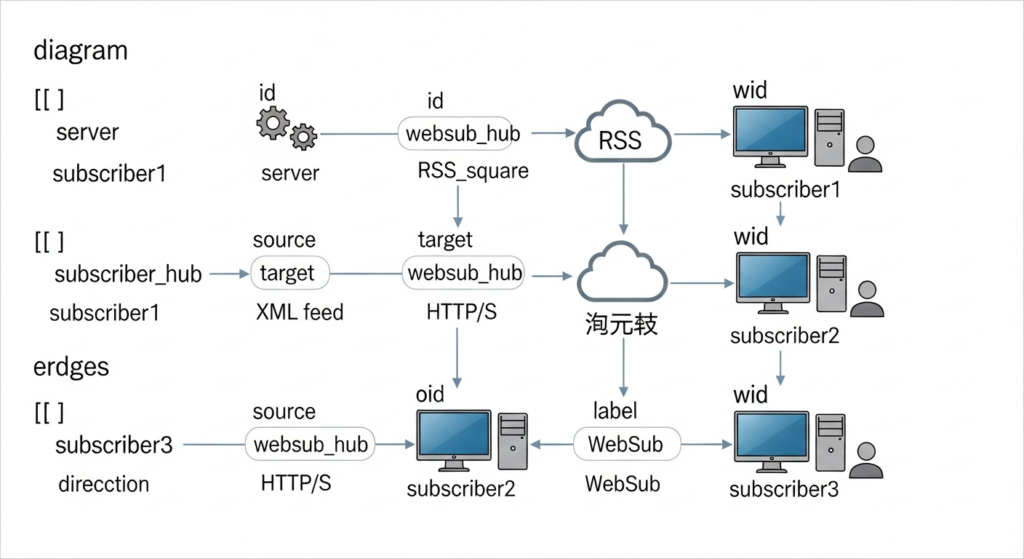
Figure 4: Technical architecture diagram for RSS feed syndication implementation showing XML feed generation, PubSubHubbub/WebSub hub integration, and distribution endpoints to Google Publisher Center, Apple News, and Feedly.
Optimizing RSS Feeds for Google News Indexing and SEO
Google News Feed Requirements
To appear in Google News (Google’s news aggregator with 280M+ monthly users), your feed must:
Publisher Center Registration
Submit your site to Google Publisher Center (news.google.com/publisher) and verify ownership.
News Sitemap or RSS Feed
Provide either a News Sitemap (news-specific XML) or a well-structured RSS/Atom feed.
Article Requirements
Content must be original, timely, and meet Google News content policies. Press releases qualify when newsworthy.
Technical Standards
Valid XML, proper encoding, accurate timestamps, and consistent publishing schedule.
Feed SEO Best Practices
| Element | Optimization | Impact |
| Title | Include primary keyword naturally | Entity recognition |
| Description | 150-300 characters, keyword-rich | SERP snippets |
| Content | Full HTML with semantic markup | Indexation depth |
| Categories | Use consistent taxonomy | Topic clustering |
| Images | High-resolution with descriptive filenames | Image search |
| Timestamps | ISO 8601/RFC 3339 format | Freshness signals |
Structured Data in Feeds
Enhance feed items with Schema.org markup. The nesting structure is critical—JSON-LD must be wrapped in CDATA to prevent XML parsing conflicts:
**Schema.org Nesting Architecture in RSS Feeds**
┌─ RSS Feed ──────────────────────────────────────────────────────┐
│                                                                  │
│  ┌─ <channel> ────────────────────────────────────────────────┐ │
│  │                                                             │ │
│  │  ┌─ <item> ──────────────────────────────────────────────┐ │ │
│  │  │                                                        │ │ │
│  │  │  <title>...</title>                                    │ │ │
│  │  │  <link>...</link>                                      │ │ │
│  │  │  <pubDate>...</pubDate>                                │ │ │
│  │  │                                                        │ │ │
│  │  │  ┌─ <description> ──────────────────────────────────┐ │ │ │
│  │  │  │                                                   │ │ │ │
│  │  │  │  ┌─ <![CDATA[ ─────────────────────────────────┐ │ │ │ │
│  │  │  │  │                                              │ │ │ │ │
│  │  │  │  │  ┌─ <script type="application/ld+json"> ──┐ │ │ │ │ │
│  │  │  │  │  │                                         │ │ │ │ │ │
│  │  │  │  │  │  {                                      │ │ │ │ │ │
│  │  │  │  │  │    "@context": "schema.org",           │ │ │ │ │ │
│  │  │  │  │  │    "@type": "NewsArticle",             │ │ │ │ │ │
│  │  │  │  │  │    "headline": "...",                  │ │ │ │ │ │
│  │  │  │  │  │    "publisher": { ... }                │ │ │ │ │ │
│  │  │  │  │  │  }                                      │ │ │ │ │ │
│  │  │  │  │  │                                         │ │ │ │ │ │
│  │  │  │  │  └─────────────────────────────────────────┘ │ │ │ │ │
│  │  │  │  │                                              │ │ │ │ │
│  │  │  │  │  <p>Full press release content...</p>        │ │ │ │ │
│  │  │  │  │                                              │ │ │ │ │
│  │  │  │  └──────────────────────────────────────────────┘ │ │ │ │
│  │  │  │                                                   │ │ │ │
│  │  │  └───────────────────────────────────────────────────┘ │ │ │
│  │  │                                                        │ │ │
│  │  └────────────────────────────────────────────────────────┘ │ │
│  │                                                             │ │
│  └─────────────────────────────────────────────────────────────┘ │
│                                                                  │
└──────────────────────────────────────────────────────────────────┘

⚠️  CDATA prevents XML parser from interpreting JSON brackets as markup
⚠️  JSON-LD must be valid JSON (watch for trailing commas)
⚠️  Schema.org types must match content type (NewsArticle for PR)
<item>
<title>Company Announces Q4 2025 Results</title>
<description>
<![CDATA[
<script type="application/ld+json">
{
"@context": "https://schema.org",
"@type": "NewsArticle",
"headline": "Company Announces Q4 2025 Results",
"datePublished": "2026-01-21T10:00:00Z",
"publisher": {
"@type": "Organization",
"name": "Company Name"
}
}
</script>
Full press release content...
]]>
</description>
</item>Multi-Modal Indexing Optimization
Modern search engines use vector-based retrieval (MUVERA algorithm) to understand content across formats. Optimize feeds for multi-modal indexing:
**MUVERA Multi-Modal Vector Indexing: How RSS Feeds Contribute**
┌─────────────────────────────────────────────────────────────────────────────┐
│                    MUVERA MULTI-MODAL INDEXING FLOW                          │
├─────────────────────────────────────────────────────────────────────────────┤
│                                                                              │
│  ┌─ RSS FEED INPUT ─────────────────────────────────────────────────────┐   │
│  │                                                                       │   │
│  │  <title>         ──→  Text Vector      ──┐                           │   │
│  │  <description>   ──→  Text Vector      ──┤                           │   │
│  │  <media:content> ──→  Image Vector     ──┼──→  UNIFIED               │   │
│  │  <media:title>   ──→  Text Vector      ──┤      ENTITY               │   │
│  │  <media:desc>    ──→  Text Vector      ──┤      EMBEDDING            │   │
│  │  <enclosure>     ──→  Video Vector     ──┤                           │   │
│  │  <author>        ──→  Entity Vector    ──┘                           │   │
│  │                                                                       │   │
│  └───────────────────────────────────────────────────────────────────────┘   │
│                                          │                                   │
│                                          ▼                                   │
│  ┌─ RETRIEVAL MATCHING ─────────────────────────────────────────────────┐   │
│  │                                                                       │   │
│  │   User Query: "company product launch announcement"                   │   │
│  │        │                                                              │   │
│  │        ▼                                                              │   │
│  │   Query Vector ←──────────────────────────────────────────────────┐   │   │
│  │        │                                                          │   │   │
│  │        ├── Matches text in <title>         ✓ High relevance       │   │   │
│  │        ├── Matches entities in <author>    ✓ Brand confirmation   │   │   │
│  │        ├── Matches image context           ✓ Visual proof         │   │   │
│  │        └── Combined score                  ★ TOP RESULT           │   │   │
│  │                                                                       │   │
│  └───────────────────────────────────────────────────────────────────────┘   │
│                                                                              │
│  💡 KEY INSIGHT: media:description text becomes searchable INDEPENDENTLY     │
│     of surrounding content—images can rank for queries without page visit    │
│                                                                              │
└─────────────────────────────────────────────────────────────────────────────┘
Optimize feeds for multi-modal indexing with these practices:
- Include image references with descriptive alt text in content
- Add video enclosures with transcripts where available
- Use semantic HTML within CDATA sections
- Maintain entity consistency between feed and page content
- Implement Open Graph Protocol (Facebook’s metadata standard for rich social sharing) tags alongside feed metadata
Feed Validation and Troubleshooting
Per W3C (World Wide Web Consortium) and Google Search Central guidelines, validate your feeds regularly:
W3C Feed Validation Service
The authoritative validator at validator.w3.org/feed/ checks XML syntax, required elements, and specification compliance for both RSS and Atom feeds.
Common Validation Errors
Unescaped ampersands (&), missing required elements, incorrect date formats, and invalid character encoding cause most feed failures.
Debugging Feed Parsers
Test with multiple feed parsers (software that reads and interprets syndication feeds): Feedly, Inoreader, and browser-based readers may handle edge cases differently. Verify that Parsed Content (the structured data extracted by feed readers after processing your XML) displays correctly across platforms, including special characters, HTML entities, and media enclosures.
Top RSS Syndication Platforms for PR
News Aggregator Submission
| Platform | Feed Type | Submission Process |
| Google News | RSS/Atom | Publisher Center registration |
| Apple News | RSS | News Publisher portal |
| Microsoft Start | RSS | MSN Publisher portal |
| Yahoo News | RSS | Content partner program |
| RSS | Publisher tools dashboard |
PR Distribution with RSS
| Service | RSS Features | Pricing |
| Signal Genesys (AI PR platform specializing in entity-based SEO and automated syndication) | Auto-generated optimized feeds, WebSub, Knowledge Graph entity linking | Included |
| PR Newswire (Cision company) | Basic RSS output | $350+ per release |
| Business Wire (Berkshire Hathaway) | RSS with media | $400+ per release |
| GlobeNewswire (Notified company) | Standard RSS | $300+ per release |
Feed Automation Tools
| Tool | Use Case | Integration |
| Feedly Pro | Journalist monitoring | Read-only |
| IFTTT (automation platform) | Cross-platform posting | Trigger/Action |
| Zapier (workflow automation) | CRM integration | Bi-directional |
| Buffer (social media tool) | Social distribution | One-way |
| Mailchimp (email platform) | RSS-to-email newsletters | Automated |
Legal and Copyright Considerations
RSS syndication involves content republication, requiring attention to intellectual property:
Copyright in Syndicated Content
Your press releases remain your intellectual property even when syndicated. Include clear copyright notices and usage terms in your feed’s channel description.
Attribution Requirements
Specify how syndicators should credit your content. Standard practice: “Source: [Company Name]” with link to original.
Pingback and Trackback
Pingback (a protocol for automatic notification when another site links to your content) helps track unauthorized republication. Monitor incoming pingbacks for syndication compliance.
Terms of Use for Feed Content
Include a link to your content usage policy in the feed. Specify permitted uses: editorial inclusion, aggregation, or full republication rights.
Best Practice: Add a <copyright> element to your RSS feed and <rights> element to Atom feeds specifying permitted use.
Measuring RSS Feed Performance
Key Metrics to Track
Subscriber Count
Number of unique feed readers. Track via FeedBurner (Google’s feed service, now deprecated) alternatives like FeedPress or server logs.
Item Views
How many times each feed item was fetched. Indicates reach across subscribers.
Click-Through Rate
Percentage of feed readers who clicked through to the full article. Use UTM parameters in feed links.
Syndication Pickups
Number of sites republishing your feed content. Monitor via backlink tools or manual tracking.
Indexation Speed
Time from publication to Google indexation. Compare WebSub-enabled vs. standard feeds.
Feed-to-SERP Signal Loop
When users discover your press release through Google News (via your RSS feed) and click through to read it, that engagement signal creates a positive feedback loop for your brand entity. This mechanism directly influences NavBoost (Google’s user interaction ranking system):
Entity-Associated Click Signals
Clicks from Google News results are attributed to your brand entity in Google’s Knowledge Graph. Consistent positive CTR strengthens your entity’s authority signals across all SERP appearances.
Feed Title Optimization for CTR
Optimize feed <title> elements not just for readability but for clickability. Use power words, numbers, and urgency indicators that drive clicks—these signals feed directly into NavBoost’s ranking calculations.
Dwell Time Amplification
Users who click from aggregators and spend time reading signal content quality. High dwell time from feed-sourced traffic strengthens both the individual URL and the domain’s overall authority.
Cross-Platform Signal Aggregation
Clicks from Feedly, Apple News, and other aggregators may not directly feed NavBoost, but they increase brand searches and return visits—secondary signals that Google does track.
CTR Optimization Formula for Feed Titles:
| Element | Impact on CTR | Example |
| Numbers | +36% | “5 Key Findings from Q4 Report” |
| Brackets | +38% | “Product Launch [Official Announcement]” |
| Power words | +24% | “Breakthrough”, “Exclusive”, “Major” |
| Brand name | +15% | “Company Name Reveals…” |
| Timeliness | +29% | “2026 Outlook”, “Q1 Results” |
Best Practice: A/B test feed titles by publishing the same release with different titles to different aggregator submissions, then measure which drives higher CTR in Google News.
Analytics Implementation
Add tracking parameters to feed links:
<link>https://example.com/press/announcement?utm_source=rss&utm_medium=feed&utm_campaign=press_release</link>
Performance Benchmarks
| Metric | Poor | Average | Excellent |
| Feed subscribers | <100 | 100-1,000 | >1,000 |
| Click-through rate | <1% | 1-5% | >5% |
| Indexation time | >72h | 24-72h | <24h |
| Syndication pickups | 0 | 1-5 | >5 |
Troubleshooting Common RSS Validation Errors and Syndication Failures
Mistake 1: Truncated Content
Problem: Feed shows only excerpts, forcing readers to click through
Solution: Include full press release content in CDATA blocks. Full-text feeds see 3x more syndication than excerpt feeds.
Mistake 2: Invalid XML
Problem: Malformed XML causes feed readers and feed parsers to fail silently
Solution: Validate feeds using the W3C Feed Validation Service (validator.w3.org/feed/), the authoritative validation tool maintained by the World Wide Web Consortium (W3C, the international standards organization for web technologies). Test after every CMS update to ensure proper structured data integrity.
Mistake 3: Missing Media Enclosures
Problem: Images and video don’t appear in aggregators
Solution: Use Media RSS (mRSS) namespace for rich media:
<media:content url="image.jpg" type="image/jpeg" width="1200" height="800"/>
Mistake 4: Incorrect Timestamps
Problem: Wrong timezone or format causes sorting issues
Solution: Use RFC 822 for RSS (Tue, 21 Jan 2026 12:00:00 GMT) or RFC 3339 for Atom (2026-01-21T12:00:00Z).
Mistake 5: No WebSub Integration
Problem: Relying solely on polling delays discovery by hours
Solution: Implement WebSub for instant push notification. Google’s public hub (pubsubhubbub.appspot.com) is free.
Mistake 6: Inconsistent Publishing Schedule
Problem: Irregular updates reduce aggregator polling frequency
Solution: Maintain consistent publishing patterns. Aggregators adjust polling based on historical frequency.
Frequently Asked Questions
What is RSS feed syndication?
RSS feed syndication is an automated content distribution system that delivers press releases to subscribers, news aggregators, and search engines through standardized XML feeds. It eliminates manual distribution by automatically notifying all subscribers when you publish new content.
The system works through:
- RSS 2.0 or Atom feeds that list your press releases in machine-readable format
- WebSub protocol that pushes instant notifications to subscribed services
- Aggregator polling that checks your feed regularly for updates
- Automatic republication by partner sites that syndicate your content
How do I create an RSS feed for press releases?
Most CMS platforms (WordPress, Drupal, HubSpot) generate RSS feeds automatically—you just need to enable and optimize them. For custom implementations, create an XML file following RSS 2.0 or Atom 1.0 specifications.
Essential steps:
- Enable RSS in your CMS settings (usually automatic)
- Configure feed to include full content, not excerpts
- Add media enclosures for images and video
- Implement WebSub for real-time delivery
- Submit to Google Publisher Center for News inclusion
- Validate with W3C Feed Validator
Does RSS syndication help SEO?
Yes, RSS syndication improves SEO by accelerating indexation speed 40-60% and increasing content discovery across news aggregators and search engines. Google explicitly supports RSS for News indexation.
SEO benefits include:
- Faster crawling: WebSub triggers priority crawl requests
- News visibility: Required for Google News inclusion
- Entity signals: Consistent metadata strengthens Knowledge Panel recognition
- Backlink discovery: Syndicating sites often link to original source
- Brand SERP optimization: Wider distribution strengthens branded search results
How often should I update my RSS feed?
Your RSS feed updates automatically when you publish new press releases—there’s no manual update needed. However, maintain a consistent publishing schedule (weekly or bi-weekly minimum) to keep aggregators polling frequently.
Best practices:
- Publish at consistent times (Tuesday-Thursday, 9-10 AM optimal)
- Include at least 10-20 recent items in your feed
- Update the
<lastBuildDate>only when content changes - Don’t remove old items—archive to separate feed if needed
What’s the difference between RSS and Atom feeds?
RSS 2.0 offers broader compatibility with legacy systems, while Atom 1.0 provides stricter specification and richer metadata—both work for press release syndication. Most organizations provide both formats.
Key differences:
- RSS 2.0: Simpler structure, wider support, maintained by RSS Advisory Board
- Atom 1.0: IETF standard, better internationalization, preferred by Google
- JSON Feed: Modern alternative, easier parsing, less aggregator support
Recommendation: Provide both RSS and Atom for maximum reach.
How do I get my RSS feed into Google News?
Register with Google Publisher Center (news.google.com/publisher), verify site ownership, and submit your RSS feed URL for review. Google requires original, timely content meeting their news policies.
Requirements:
- Create Publisher Center account
- Verify domain ownership
- Submit RSS feed or News Sitemap
- Meet content quality guidelines (original reporting, clear attribution)
- Maintain consistent publishing schedule
- Wait for review (typically 2-4 weeks)
Can RSS feeds include images and video?
Yes, use Media RSS (mRSS) extensions to include images, video, and audio files in your feed for rich syndication. Aggregators display media alongside text content.
Implementation:
<media:content url="https://example.com/video.mp4"
               type="video/mp4"
               duration="90"/>
<media:thumbnail url="https://example.com/thumbnail.jpg"
                 width="480" height="360"/>
How do I track RSS feed performance?
Use feed analytics services like FeedPress, track UTM parameters in feed links, and monitor server logs for feed requests. Google Analytics captures clicks from feed readers.
Metrics to track:
- Subscriber count: Unique feed readers
- Item fetches: Times each item was retrieved
- Click-through rate: % who visited full article
- Indexation speed: Time to Google indexation
- Syndication pickups: Sites republishing content
What is WebSub and do I need it?
WebSub (formerly PubSubHubbub) is a real-time notification protocol that pushes new content to subscribers instantly, eliminating polling delays. It’s highly recommended for press releases where timing matters.
Benefits:
- Instant delivery: Subscribers notified within seconds
- Google support: Triggers priority crawling
- Reduced server load: Eliminates constant polling
- Free implementation: Google’s public hub is free to use
How many items should my RSS feed contain?
Include 15-25 recent press releases in your main feed, with older items available in an archive feed. Too few items limits discovery; too many slows parsing.
Guidelines:
- Main feed: 15-25 most recent items
- Archive feed: Historical items by year/category
- Full content: Each item includes complete press release
- Media: Hero images for all items, video where relevant
Can RSS syndication replace wire services?
RSS syndication complements rather than replaces wire services—it provides owned distribution while wires offer guaranteed media placement. Use both for maximum coverage.
RSS advantages:
- Zero per-release cost after setup
- Complete control over content and timing
- Direct relationship with subscribers
- Permanent archive access
Wire service advantages:
- Guaranteed placement on major news sites
- Established journalist relationships
- Compliance and regulatory distribution
- AP/Reuters pickup potential
Conclusion: Automate Your PR Distribution
According to Google Search Central’s documentation on content syndication, properly implemented RSS feeds signal content freshness and establish canonical authority—key factors in search visibility. RSS feed syndication transforms press release distribution from a manual, per-release task into an automated, always-on system. With proper implementation, every announcement you publish automatically reaches:
- News aggregators within minutes
- Journalist feed readers immediately
- Search engine crawlers on priority
- Partner sites for syndication
Start with the essentials:
- Enable full-content RSS on your press release pages
- Implement WebSub for real-time notification
- Submit to Google Publisher Center
- Track performance with UTM parameters
Ready to automate your press release syndication?
Generate Valid RSS 2.0 & Atom Feeds Automatically with Signal Genesys →
Explore more PR distribution strategies in our guides on press release SEO optimization, multimedia press releases, and AI press release writing.